In this blog, we shall look at something that may not be done as frequently as you would want to. It is Downgrading a SQL Server 2005 from an Enterprise Edition to Standard Edition.
First you need to know why such an exercise is carried out any way. The reason would be, due to oversight, an Enterprise Edition was installed which in the first place must have been a Standard Edition, or the decision makers decide to go with Standard Edition of SQL Server due to the cost difference in the both the Editions.
Whatever the reason behind it, as a DBA you are asked to plan and carry out the exercise with a little or no downtime.
Here are the steps I identified to perform the Downgrade to SQL Standard on the same server which has the SQL Enterprise Edition. This method does not need any additional resources whatsoever.
Before beginning the process, make a note of the current Installation details such as
- Instance Name ( Default or Named Instance)
- Other Server Options such as AWE, Authentication, Login Auditing, Database default Locations etc..
- Network Protocols enabled and the TCP/IP Port No etc
- The components installed, such as Full Text Search, Reporting Services, Analysis Services or Integration Services if any.
Steps to Perform Downgrade the SQL Server Enterprise to Standard
- Ensure the Application and the Databases are not in Use.
- Check for any Jobs running on the Server and if none are active, disable all the jobs, and if there are a number of Jobs on that Server, it’s a good idea stop the SQL Server Agent.
- Perform a Backup of all the Databases, use a script to backup all the databases including the System Databases.
- Make a copy of the Data and Log Files of the System Databases. (Needed to Overwrite existing MSDB and Model Database Files after Installation of Std Edition)
- Run the Script that creates all Logins on the SQL Instance and store that script as Create Logins Script. Follow the Link provided at the end of the Blog to know the exact procedure.
- Detach the User Databases. Make ready a Script for detaching all User Databases in order to reduce the downtime.
- Uninstall the SQL Enterprise instance, restart the operating system.
- Install SQL Server Standard Edition and other SQL Server components.
- Apply the latest service pack for the Standard Edition. (A restart is required.)
- Check for the Configuration settings such as AWE, Default Data and Log File Location, TCP/IP Port No, etc if needed change them to the earlier noted values.
- Stop the SQL Server and make a physical copy of the Master, MSDB, Model and System Restore Databases (Copy of the Brand New System Databases for Standard Edition, if incase we need it, we can use these to bring back to the point of installation of Standard Edition.)
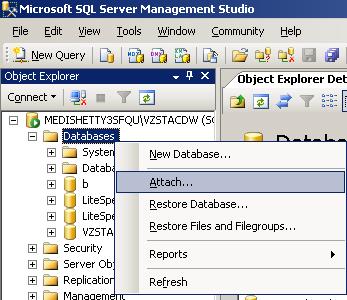
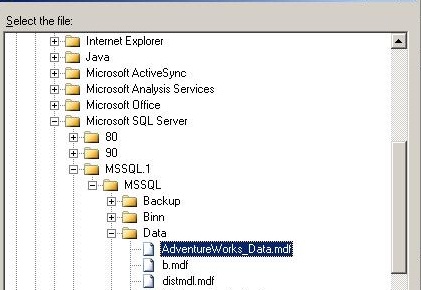
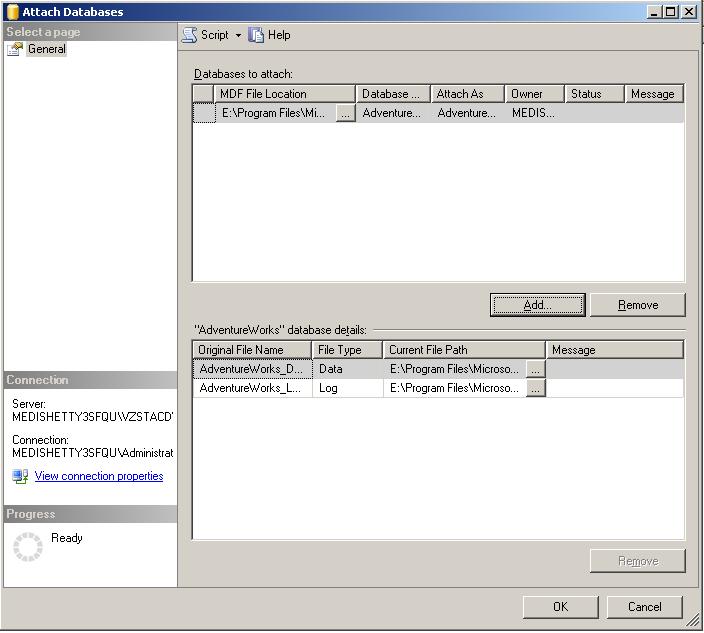
- Restart the SQL Server and attach the User Databases using the Attach User databases Script.
- After Successful execution of the Script, check for the databases list in SQL Management Studio. Should see all the User databases.
- Stop the SQL Server and when the SQL Server is stopped, overwrite the system Databases MSDB and Model and Start the SQL Server. After the restart, there must be some Jobs available under the SQL Agent.
- Check for any Logins available after overwriting the system databases, (SQL Server logins will be not available), run Create Logins Script in the Master Database.
Please find the procedure described in the following TechNet Article for scripting Logins from one Server to another Server. http://support.microsoft.com/kb/918992/
This method would ensure that you need no additional resources, on the other side if something fails, you don’t have working SQL System to fall back onto. As always having a separate server where you can perform this would ensure that you have a good and working SQL Server in case of failure.
So it’s a Best Practice to have a plan to quickly revert to your old Installation or bring up the old SQL Server with Enterprise Edition.
Do you like this site? Like our FB page @ Facebook.com\LearnSQLWithBru so that, you know when there is a new blog post.
–Bru Medishetty