
In this article we will look at the steps to enable AWE Option in SQL Server. When enabled, the Advanced Windowing Extensions gives the ability to SQL Server to utilize Memory more than 4 GB. AWE enabling for SQL Server is valid in 32 Bit Systems only, on 64 bit systems AWE is not required to be enabled.
Steps to enable AWE
In the SSMS, right click on the SQL Instance in Object Explorer, and select properties. the following Properties Dialog Box is displayed.
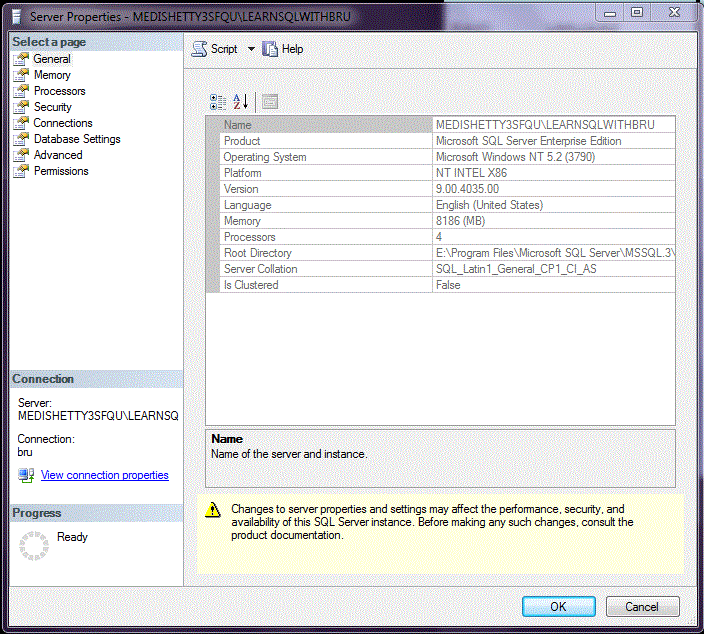
In the left Pane of the Box, Select the Memory Page and Under Server Memory options check the box as shown in the picture below to use AWE to allocate memory. You can also specify a Minimum and Maximum Memory SQL Server can utilize on the machine. So that incase of Memory available to SQL Server it does not complete utilize and resulting in no or less memory to the Operating System and other application running on the Server.

Select OK in the Properties page. The change in the setting will not be effective upon restarting SQL Server.
Alternately, you can also enable using sp_configure. The following scripts provide the alternate steps to
perform to enable AWE option.

As always, I suggest referring other technical information before enabling AWE and other system settings that need to be enabled on the Server for this to be successful, such as enabling /3GB switch or /pae switch in Boot.ini etc.
Do you like this site? Like our FB page @ Facebook.com\LearnSQLWithBru to know when there is new content.
–Bru Medishetty